Cresora AI Receptionist

Good things start with hello.

Meet Cresora AI Receptionist. A welcoming voice for your callers. A clearer picture of every conversation for your team.
Answer calls • Capture opportunities • Keep people connected

AI receptionist that answers calls 24/7
while you run your business

See calls, captured leads, appointment requests, and team activity in one organized workspace.

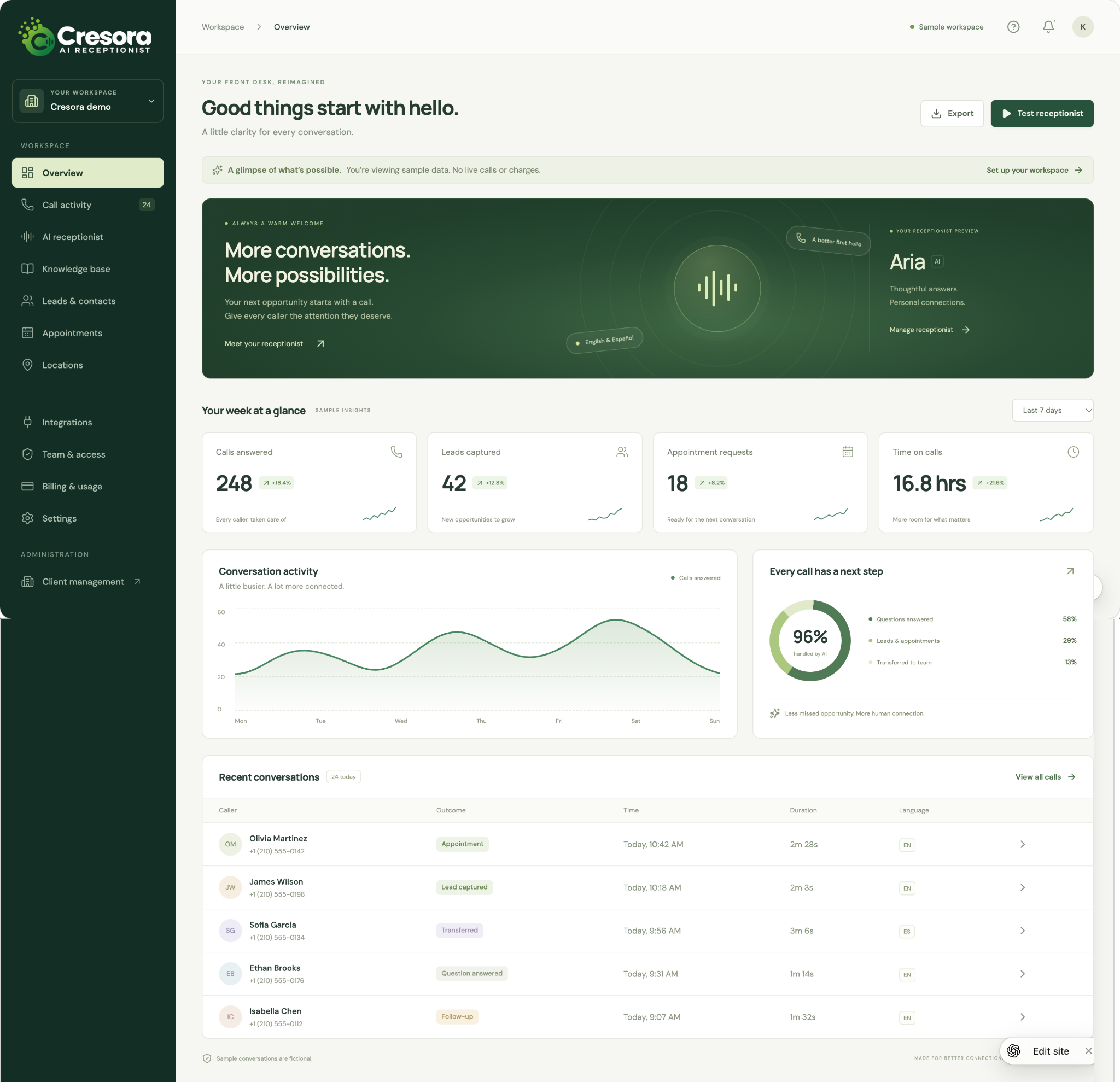
Your front desk at a glance

See how conversations become opportunities. The overview brings together call activity, captured leads, appointment requests, and recent conversations so your team can quickly see what needs attention.
The figures and callers shown are sample data.

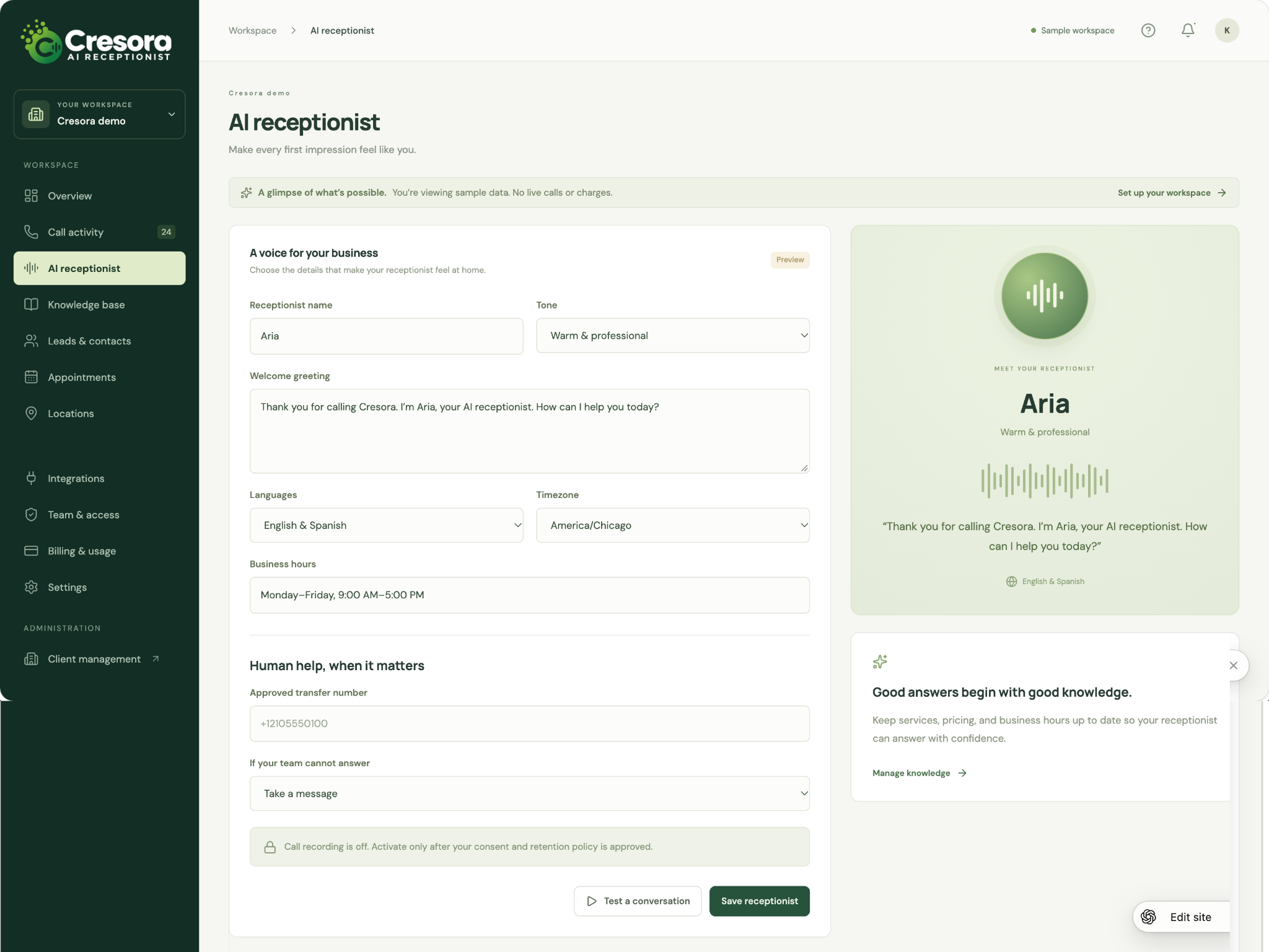
A voice that feels like your business

Shape the first impression with a receptionist name, conversational tone, and welcome greeting. The configuration screen brings languages, business hours, time zone, transfer destinations, and fallback handling together in one place.
Preview the experience before activating your agreed call flow.

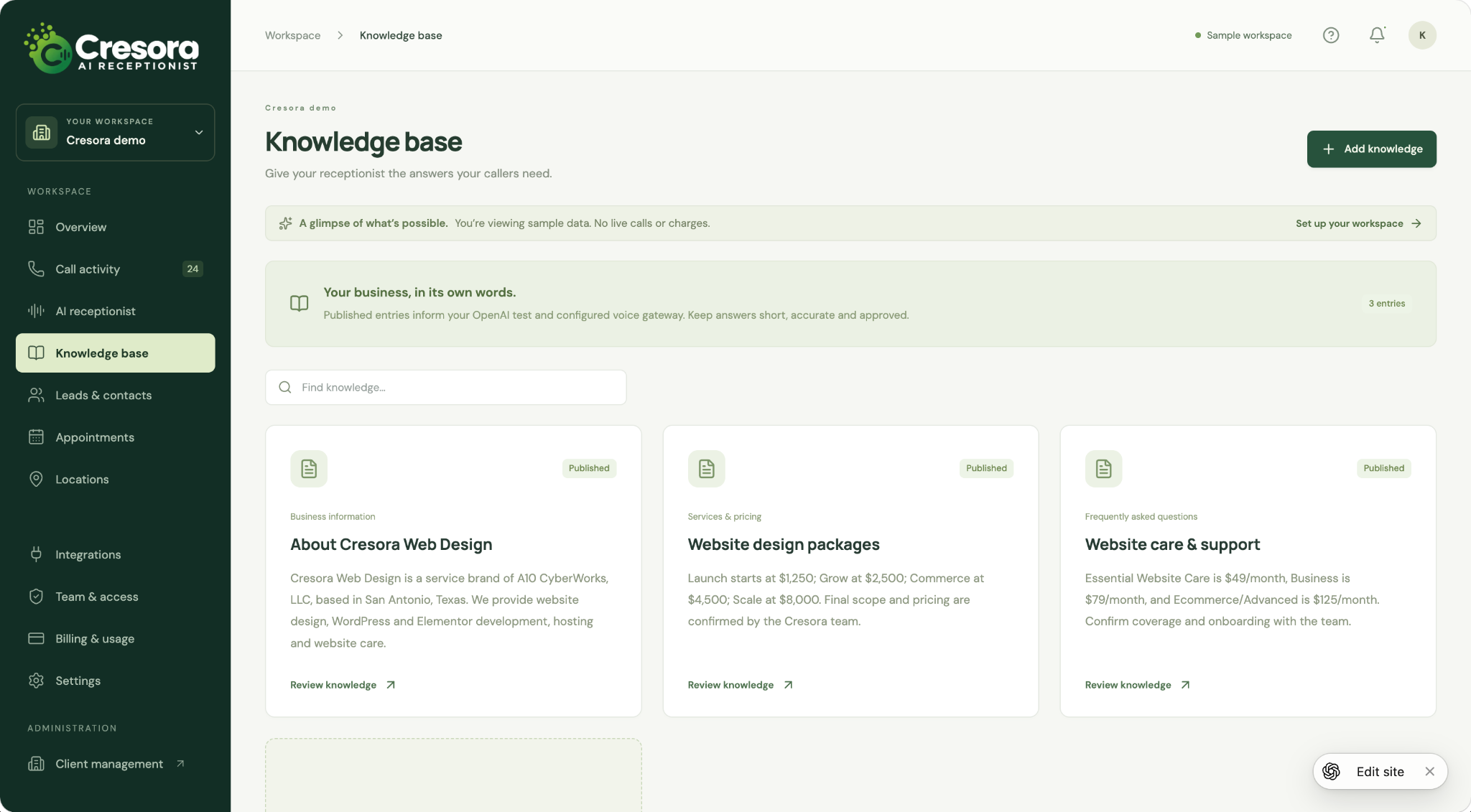
Keep the right answers close

Organize business information, services, pricing, and frequently asked questions into clear knowledge entries. Search and review published information so your receptionist can work from the details your team approves.
Business knowledge is maintained in editable entries within the app.

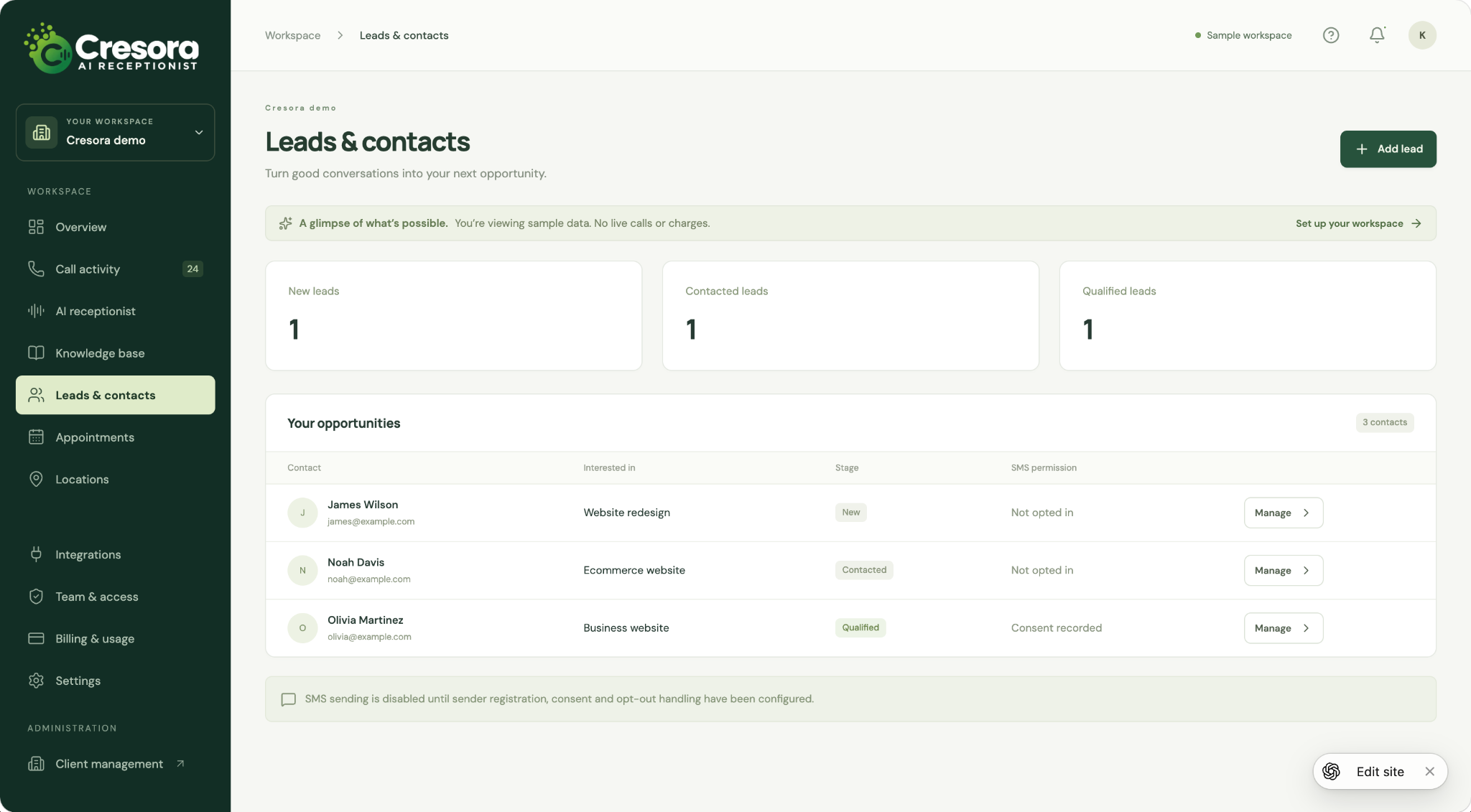
Turn good conversations into next steps

Keep contacts, service interests, and follow-up stages organized in one workspace. The leads view separates new, contacted, and qualified opportunities and shows recorded SMS permission alongside each contact.
Sample contacts illustrate the workflow; messaging depends on configured sender and consent handling.

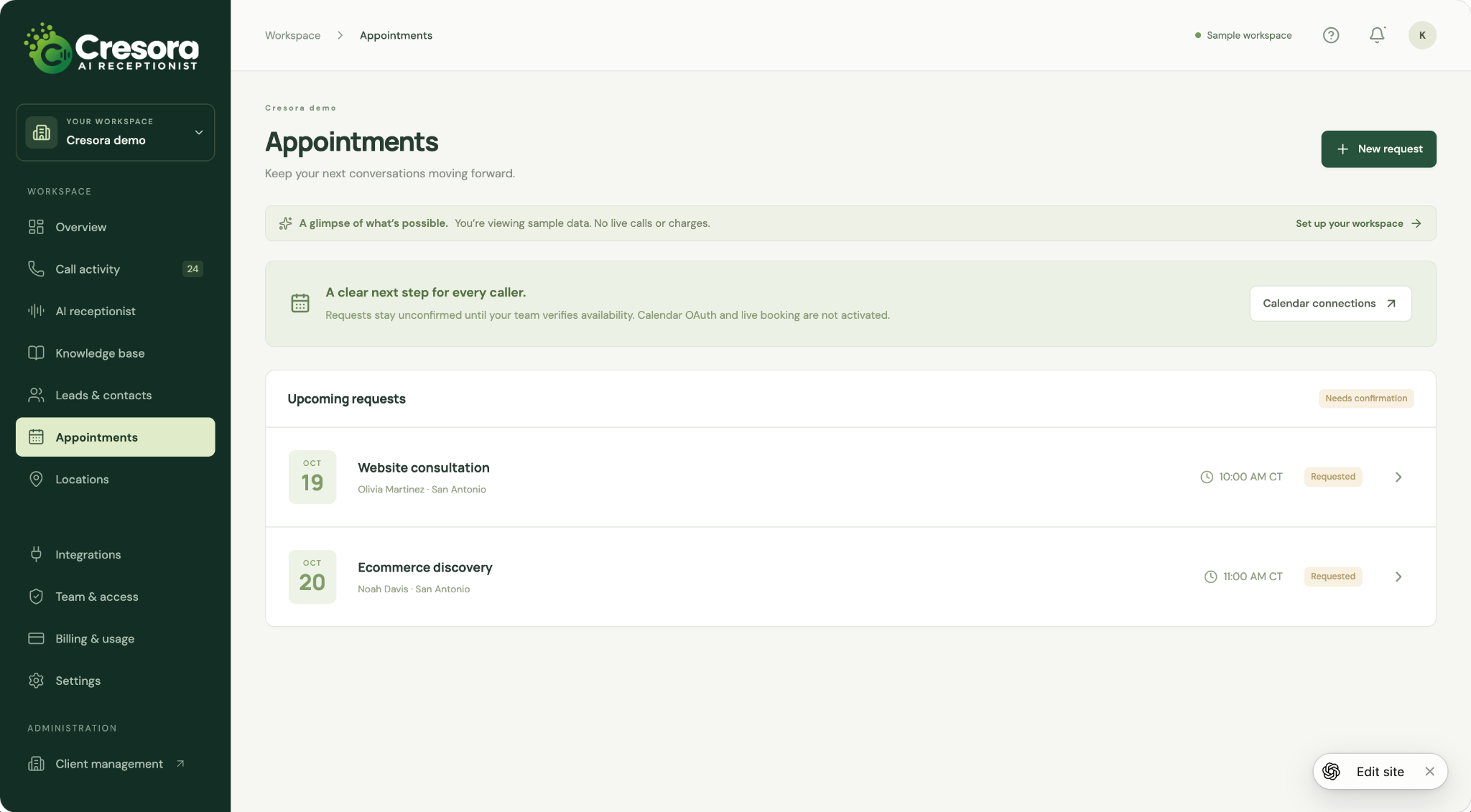
Give appointment requests a clear next step

Bring upcoming requests into an easy-to-review list with the requested service, caller, location, and time. Your team can review availability and confirm the next conversation without losing the context of the inquiry.
The sample shows appointment requests awaiting confirmation; live calendar booking is not activated.

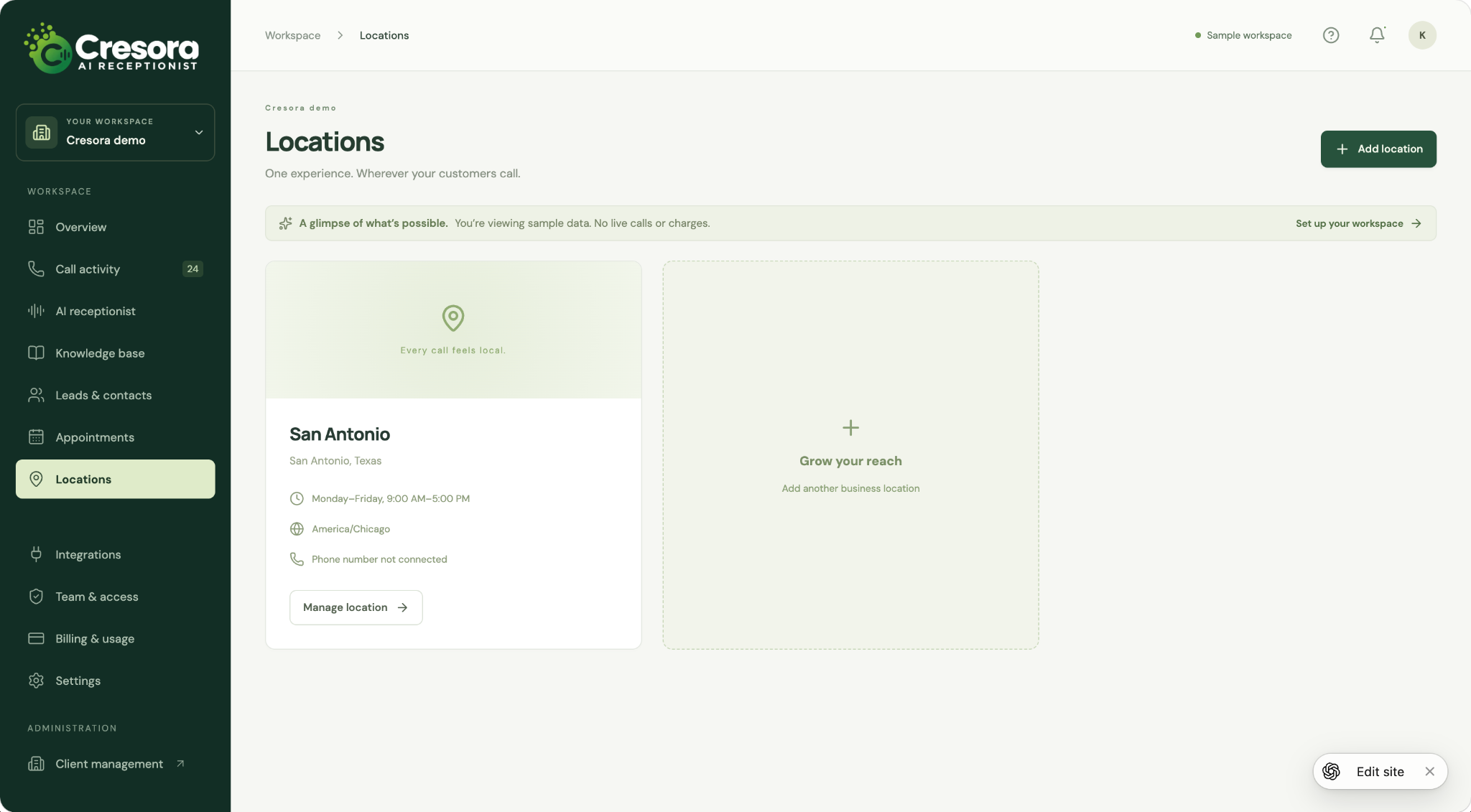
A local experience, wherever callers reach you

Keep location details, opening hours, time zones, and phone connection status organized as your business grows. Review each location from a central workspace to support consistent information and routing.
The screenshot shows a sample San Antonio location.

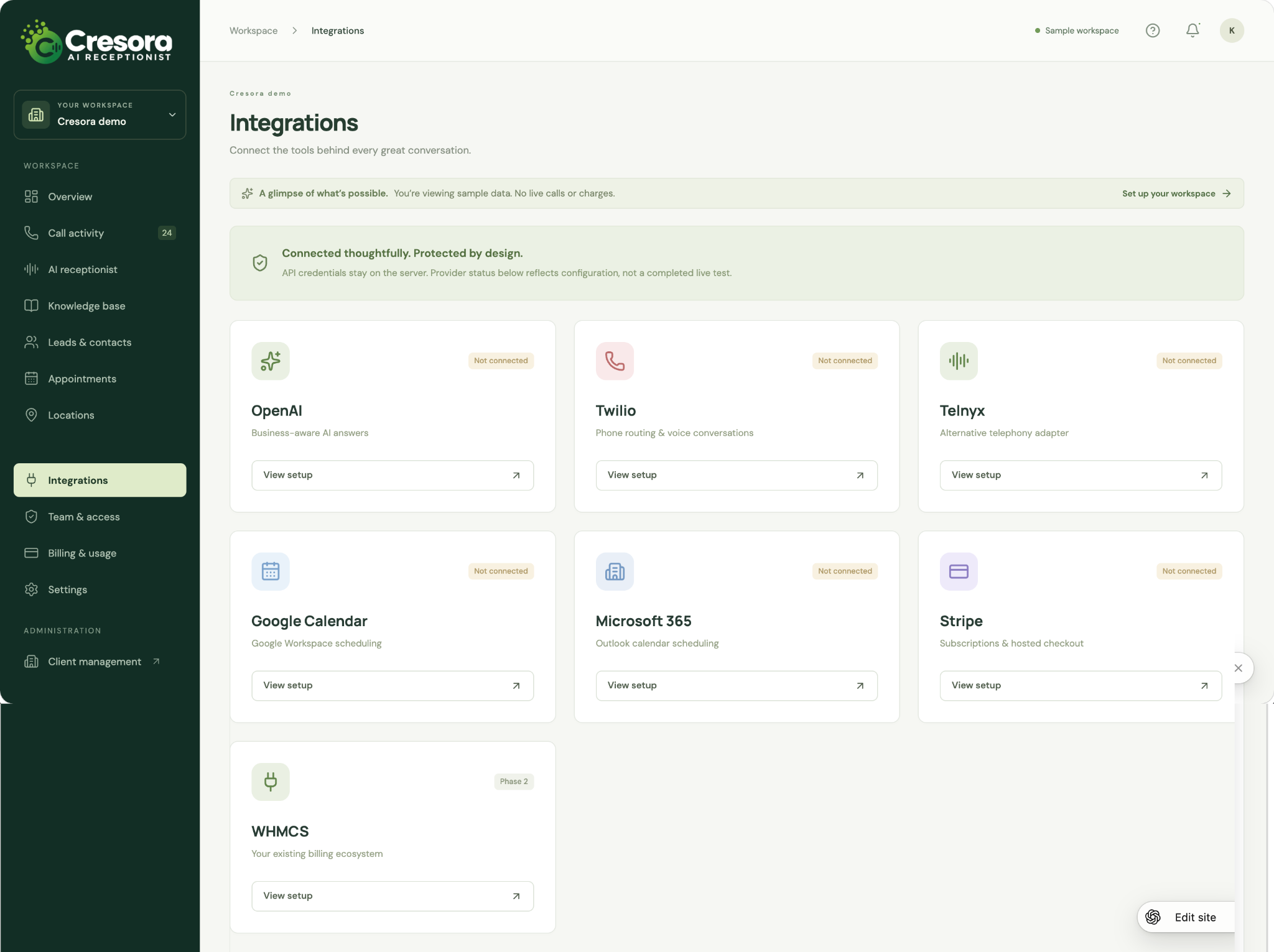
Bring your call workflow and tools together

Review the setup areas for AI, telephony, calendars, and billing in one place. The sample includes OpenAI, Twilio, Telnyx, Google Calendar, Microsoft 365, and Stripe, with WHMCS shown as a later phase.
Connections in this screenshot are not active; availability is confirmed during managed onboarding.

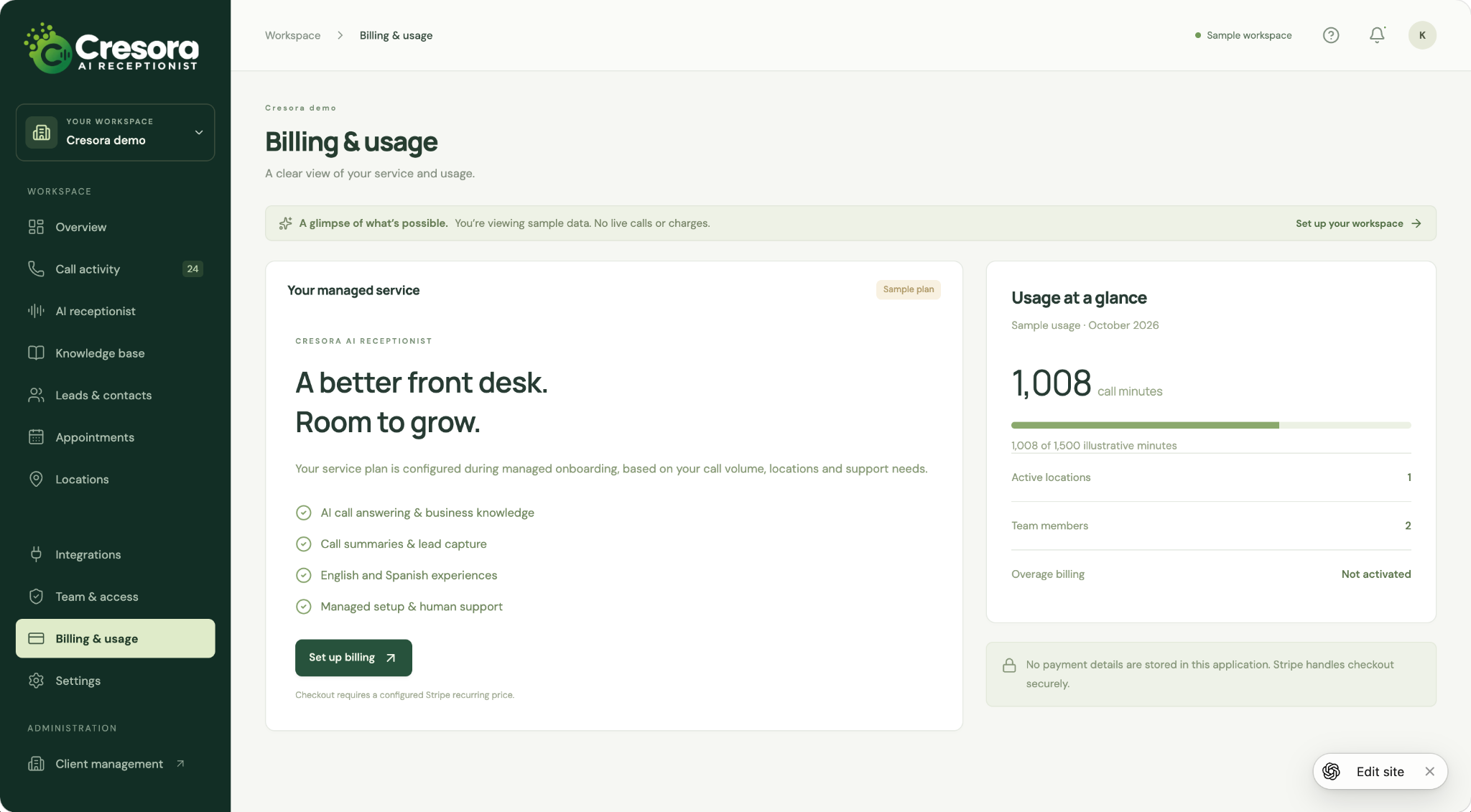
A clearer picture of your service and usage

Review the service overview alongside illustrative call-minute usage, active locations, and team size. The billing workspace is designed to keep plan setup and usage visibility together as your needs change.
The displayed plan and minutes are examples, not a pricing offer or live billing record.

Keep workspace details in view

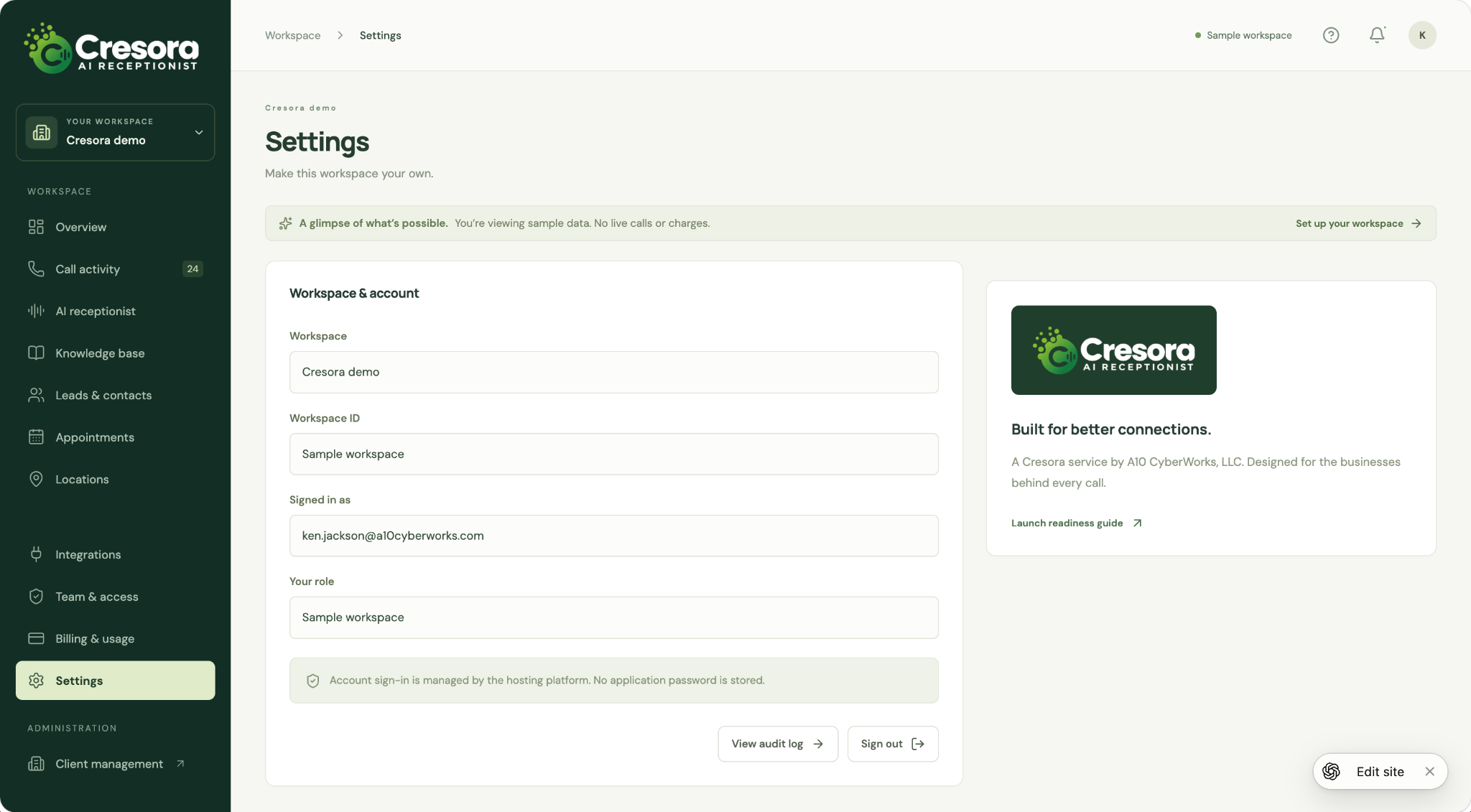
Review workspace identity, the signed-in account, and the available account actions from a dedicated settings screen. Links to the audit log and launch readiness guide keep operational details close at hand.
This screenshot shows the sample workspace settings.

Illustrative recreation of the Cresora sample workspace. All names, figures, and conversations are fictional demo data.
Meet your workspace

Every conversation. A clearer view.

See calls, captured leads, appointment requests, and team activity in one organized workspace.

Cresora AI Receptionist / Workspace overview

Sample workspace
Good things start with hello.
A little clarity for every conversation.
Always a warm welcome
More conversations. More possibilities.
Give every caller the attention they deserve.
Aria
English & Español
Your week at a glance · sample insights
Calls answered
248
Leads captured
42
Appointment requests
18
Time on calls
16.8 hrs
Every call has a next step
Questions answered · 58%
Leads & appointments · 29%
Transferred to team · 13%
Recent conversations
Olivia martinez
Appointment · 2m 28s
James wilson
Lead captured · 2m 03s
Sofia garcia
Transferred · ES · 3m 06s
Illustrative recreation of the Cresora sample workspace. All names, figures, and conversations are fictional demo data.

A warmer welcome

Give callers a consistent first point of contact.

More useful follow-up

Turn conversations into clear next steps.

More visibility

Keep your call activity and business rules together.
Thoughtful by design

The details that make a better first impression.

Explore the capabilities being brought together in Cresora AI Receptionist.

Call answering that fits your day

Plan for full-time, overflow, or after-hours coverage, with a greeting and call flow shaped around your business.

Answers grounded in your business

Give your receptionist the services, hours, policies, and FAQs callers need. Keep the information in one knowledge base.

A clear path to your team

Define when a caller should reach a person, who receives the transfer, and what happens when no one is available.

Scheduling with a next step

Design an appointment flow around your services and availability. Microsoft 365 and Google Calendar connections are part of the integration scope.

Lead capture & follow-ups

Collect contact details and the reason for the call. Plan notifications and consent-based SMS follow-ups around the next action.

English, Spanish & multiple locations

Shape language, hours, routing, and business information for the callers and locations you serve.
Your business. your way.

A receptionist with your business in mind.

A useful conversation starts with the right information. Bring your common questions, service details, opening hours, and preferred handoff process into one place.
Business knowledge
Sample business profile
Hours & services
Monday–Friday · 9:00 AM–5:00 PM. Consultations · Estimates · Customer support.
When a person is needed
Transfer to the front desk during business hours. If unavailable, capture a message for follow-up.
Illustrative call summary
A conversation worth following up on.
Olivia Martinez
New customer · English
What the caller needs
Olivia asked about an initial consultation and would prefer a morning appointment next week.
Next step
Review the appointment request and confirm an available time with Olivia.
Fictional caller and example conversation.
Less catching up. more moving forward.

Know what happened. Know what comes next.

Keep useful context close to the conversation. Review call summaries, captured details, and appointment requests so your team can pick up where the caller left off.
Personal setup. practical support.

Built around your business. Set up with your team.

A managed onboarding approach from Cresora, a brand of A10 CyberWorks.
01

Tell us about your business

Share your services, hours, common questions, locations, and the moments that need a human.
02

Shape the call experience

We review greetings, routing, calendar needs, notifications, and the connections your workflow requires.
03

Test together. Launch with clarity.

Walk through realistic calls, confirm the agreed features, and prepare your team for the next hello.
Connected to the way you work

Your phones. Your calendars. One thoughtful call flow.

Tell us what you use today. We will confirm the supported connections and configuration for your onboarding plan.
Microsoft 365
Calendar integration scope
Google Calendar
Calendar integration scope
Phone-provider compatibility reviewed during setup.
A few things you may be wondering

Let’s make the next step simple.

We will review your carrier or phone system and the forwarding options it supports. Your setup plan will confirm how existing callers reach Cresora AI Receptionist.
We can plan full-time, overflow, or after-hours handling around your needs. Available routing depends on the phone service and configuration agreed during onboarding.
Your call flow defines when to transfer, who should receive the call, and the fallback if that person is unavailable. These scenarios are reviewed and tested during onboarding.
Scheduling and SMS follow-up are part of the product scope. We will confirm the supported calendar connection, booking rules, messaging requirements, and enabled features for your setup.
No. The workspace is an illustrative recreation of the Cresora sample build. All figures, caller names, and conversations shown on this page are fictional demo data.
Request a personal demo. We will review your call volume, locations, languages, integration needs, launch availability, and any setup or usage charges before you commit.
Your next opportunity starts with a call

Give your next caller a better first hello.

Let’s explore what Cresora AI Receptionist could do for your business.
A guided walkthrough and a clear next step. Feature availability, integrations, and service terms are confirmed during managed onboarding.